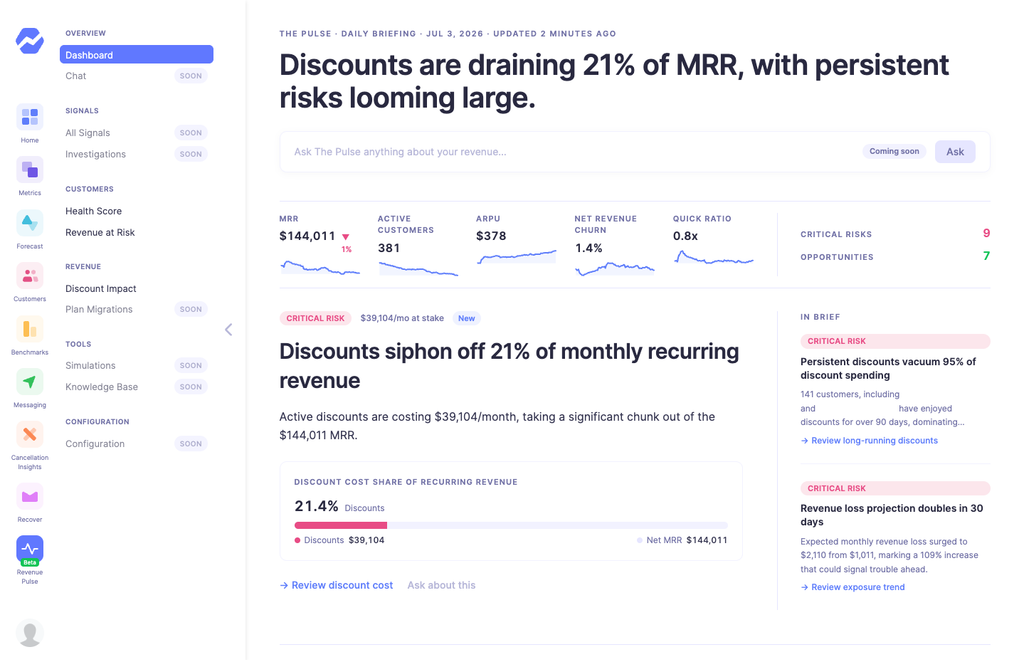
Enhanced: Your Revenue Pulse Daily Briefing, now in Slack
You don’t need to log in to know what’s happening in your business. Your Revenue Pulse Daily Briefing can now land in Slack every morning, so your whole team sees the day’s biggest revenue moves where they already work.
What you get:
- The day’s headline, so you know right away if anything needs attention
- Your top 5 revenue stories with their dollar figures, so you can spot failed charges, big upgrades or churn early
- A one-click link to the full briefing when you want more detail
Why you can trust it:
- The link opens the exact briefing that was posted, so what you click always matches what you read. If anything changes later, a banner shows what’s new.
- If your data hasn’t refreshed yet, the post waits. If it’s still not fresh, it skips that day instead of sending old numbers.
- On quiet days, you get one short line, not clutter.
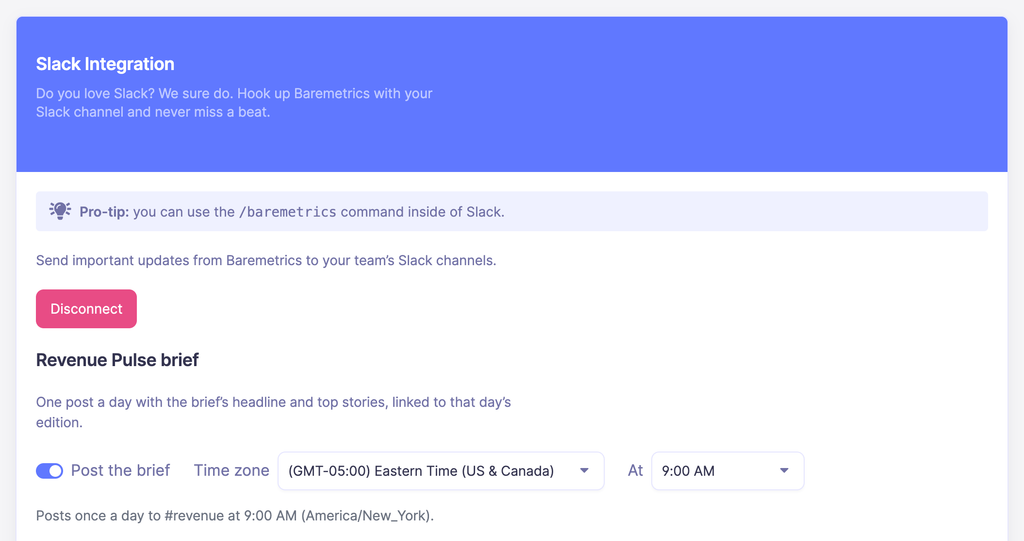
It takes a minute to set up. Go to Settings > Slack > Revenue Pulse brief, switch on “Post the brief” and pick the hour that works for your team. It posts once a day, in the same channel as your Slack reports, and your existing reports stay the same.
If you publish before the rollout reaches all accounts, add “Rolling out gradually over the coming weeks.” at the end.
The button always opens the exact briefing that was posted. If anything changes later, a banner shows what’s new. On quiet days you’ll get a single line saying nothing changed. If your data hasn’t refreshed, the post waits, and if the data is still stale it skips that day so you never get old numbers.
Your existing Slack reports and notifications stay the same.