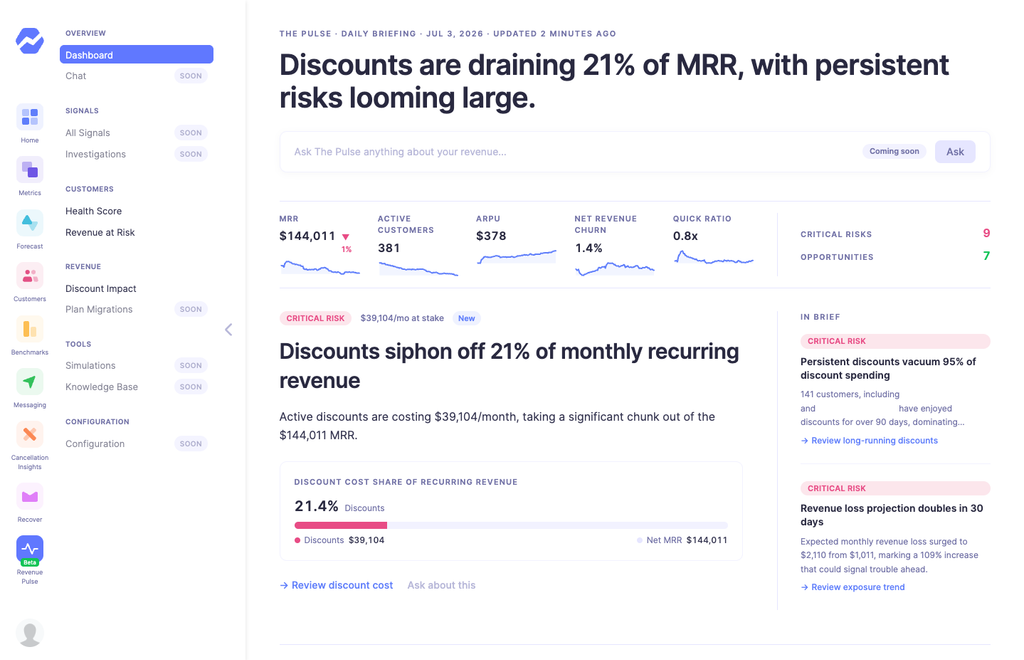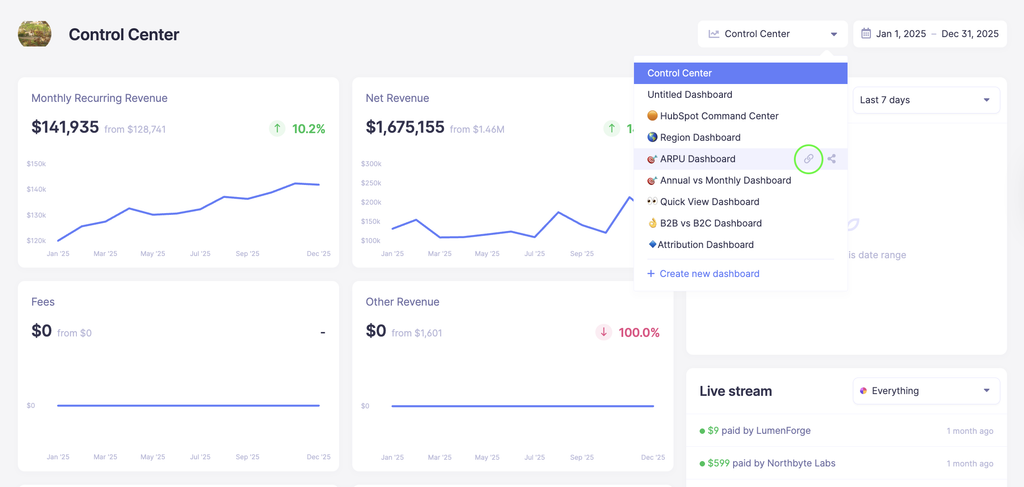
You've been able to share your metrics publicly for a while now — but sharing everything isn't always what you need.
With Custom Dashboards, you can now handpick exactly which metrics and segments you want to share, build them into a dedicated dashboard, and share just that link with whoever needs it — investors, team members, or anyone else, no Baremetrics account required.
External viewers get a clean, focused view with no navigation or dashboard switcher — just the numbers you chose to share. Note that any customer tiles included on the dashboard will be automatically removed from the shared view, so only metrics and numbers data will be visible.
Your MRR should reflect reality, but sometimes it doesn’t.
Maybe a customer was invoiced manually outside of Stripe before the subscription was created. Maybe you extended someone’s trial even though you already consider them a paying customer and want them counted toward MRR. Maybe a subscription temporarily needs to be represented differently for reporting purposes.
Until now, handling these situations usually meant changing data directly in your payment provider or manually recreating the customer in Baremetrics.
We recently added a new feature called Edit MRR to help handle these edge cases without requiring changes in your payment provider. MRR Adjustments lets you override how a subscription is represented inside Baremetrics for a specific period of time.
From the customer profile, open the subscription, click “Adjust MRR,” and update things like:
Plan
Billing status
Quantity
Discounts
You can apply adjustments to a specific date range, stack multiple adjustments on the same subscription, and remove them at any time. Metrics recalculate immediately when changes are made. Your provider sync will continue working normally and adjustments only exist inside Baremetrics and are never pushed back to your payment provider. This feature is designed for situations where your billing system and your reporting don’t perfectly line up, and you need your metrics to reflect what actually happened.
If you don’t see “Adjust MRR” in your account yet, reach out to support. Your account may still need to be upgraded to the latest version of Baremetrics.
Full details are available in the help doc: [link]
We've made an update to the Forecast+ Operating Model! You can now right-click on any forecast cell to easily reset an overridden value or add a note. If a note exists, you'll see an "Edit note" or "Clear note" option, making it simple to manage your annotations.
Cells with notes will display a small blue triangle in the corner, and hovering over it will show the note's text. This visual indicator helps you quickly identify where notes have been added. 😊
We're excited to introduce some new features to the Cancellation Insights dashboard that make it easier for you to analyze subscription cancellations with precision.
You can now filter cancellations by specific plans, providing you with a more detailed view of your subscription data. When you select a plan, the dashboard will update to reflect relevant data, including cancellation reasons and churn types, tailored to that plan. This means you can now see breakdowns of cancellation reasons by plan. We also made sure that if a plan has no cancellations, the dashboard will show this clearly, avoiding any confusion.
We also added a new tile that quickly shows you cancellation reason by plan for a quick overview:
These updates provide a clearer and easier way to understand your subscription cancellations, helping you make more informed business decisions effortlessly.
Why it matters Not every failed payment should trigger dunning. VIPs, internal accounts, or enterprise customers on manual billing often need a different touch. Now you can make sure Recover only emails the right customers.
How it works
Create segments directly inside Recover settings
Use any customer attributes you already use for segmentation
If a customer matches any of those segments → they won’t receive Recover emails
Smart behavior (so you don’t have to think about it)
If a customer becomes excluded mid-sequence, we stop future emails
If they leave the segment, they can resume eligibility
We check exclusions before sending, so no accidental emails go out